

Troubleshooting
Can't see the protection widget?
Check that the app embed is on, Protection is saved with a price above 0, your Starter store hasn't hit its monthly limit, and no hiding rule matches your test cart. At checkout you also need Shopify Plus. Still missing? Contact us for a free theme check.
This page helps you find why the protection widget doesn’t show in your cart or at checkout. Work through the checks in order and test your cart after each one.
Is the app embed on in your published theme?
- Open Home in the app and look at the badge (1).
- If it says App embed off, click it.
- In the theme editor, make sure Sam Shipping Protect is on and click Save.
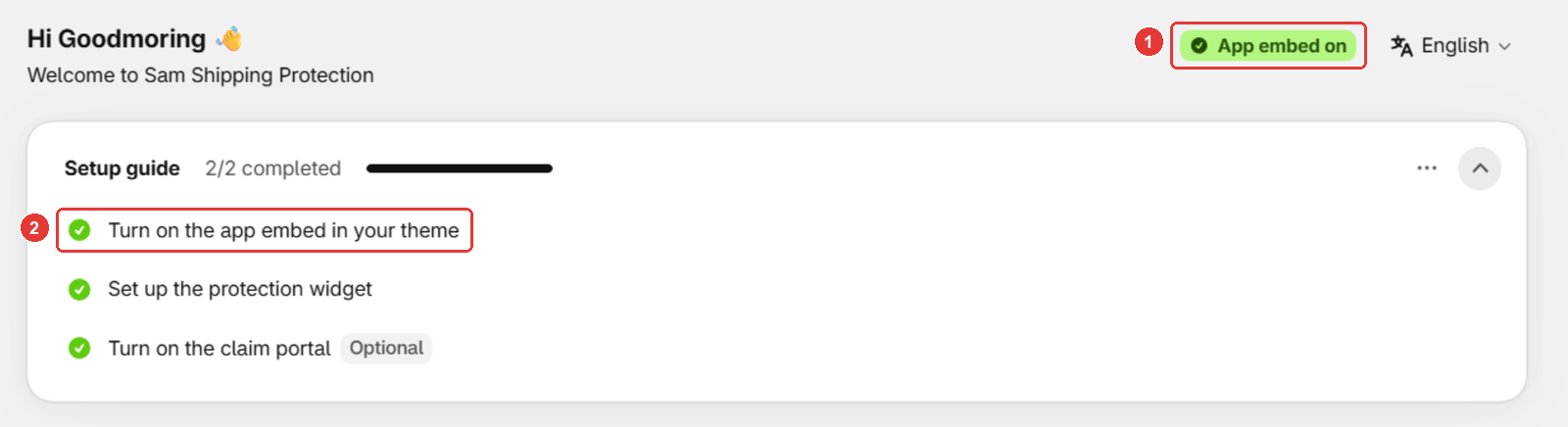
Published a new theme? Turn the embed on again in that theme. See How to make Sam work on your store?
Is Protection saved with a price?
- Open Protection.
- Enter a price above 0 under Insurance pricing. That’s just the name of the setting: Sam is not an insurer.
- Click Save.
See Set up shipping protection.
Has your store reached the Starter order limit?
- Open Home and look for a banner about the monthly limit of protected orders.
- If you see it, upgrade to bring the widget back now, or wait for next month. See Plans and the Starter order limit.
Is a rule hiding the widget for this cart?
- Open Protection > Targeting & exclusions.
- Check Hide from (1), the minimum cart total (2), the country list (3) and, on Percentage pricing, Include products (4). Make sure none of them hides the widget for your test cart.
- Test again in a new private window, logged out.
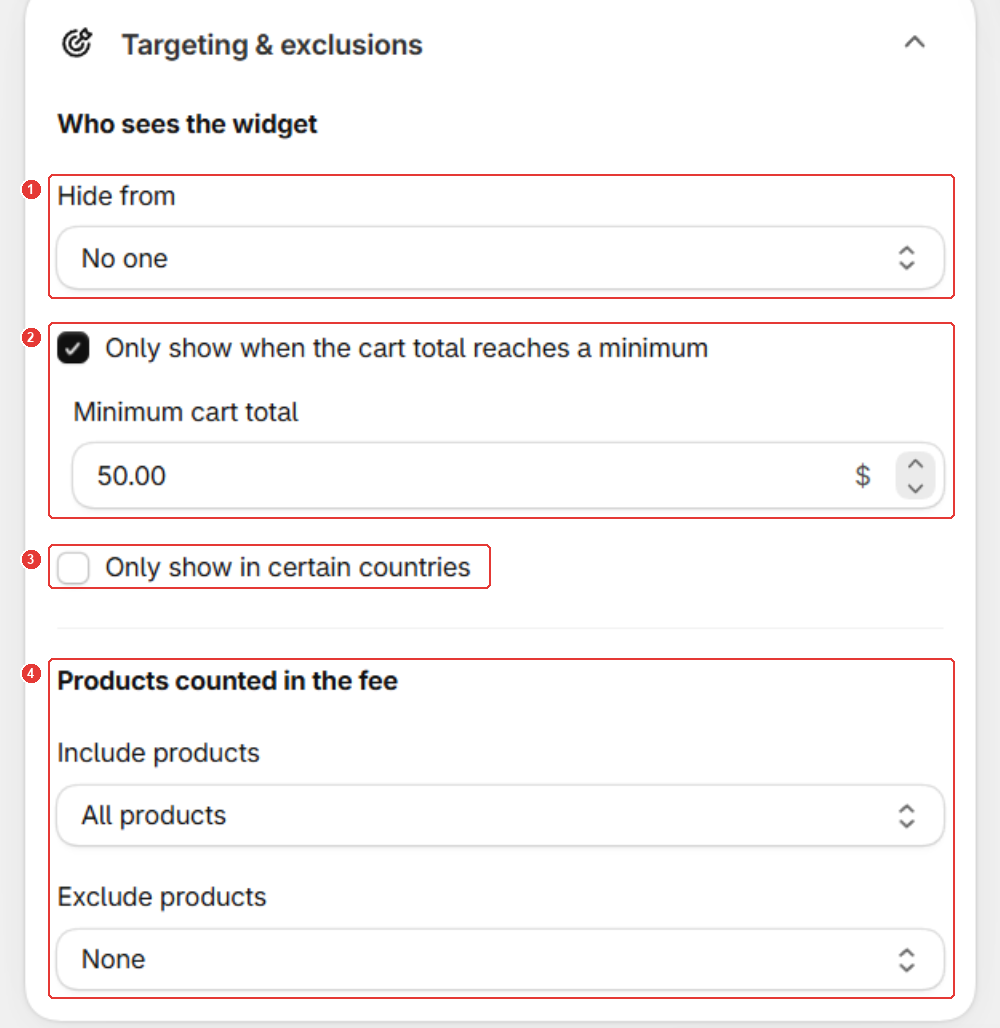
A cart with only a gift card never shows the widget. See Hide the widget from some customers or carts.
Is it missing only at checkout?
- Confirm your store is on Shopify Plus and the Sam Plus plan.
- Turn on Enable widget in the Checkout Page card.
- Place the Sam Checkout UI block once in the checkout editor.
See Add protection at checkout (Shopify Plus).
Still not working?
Contact us from the chat in the app or at [email protected]. We check your theme for free and adjust the widget for your store, for example if you use a custom cart drawer.
Frequently asked questions
The widget showed yesterday and disappeared today. Why?
On the Starter plan, the most likely cause is the monthly limit of protected orders. The Home page shows a banner when this happens.
Does switching themes turn the widget off?
Yes. After you publish a different theme, turn on Sam Shipping Protect in that theme and click Save.
Will you fix my theme if the widget still doesn't show?
Yes, for free. Contact us from the chat in the app or at [email protected].
Still need help?
Our developers answer support themselves. Chat with us or email [email protected].