

Getting started
Sam Shipping Protection user guide
Sam Shipping Protection lets customers protect their order against loss, damage and theft for a small fee. The fee goes to your store, and you decide each claim. To start, turn on the app embed, set the fee and widget text, then set up the claim portal.
Earn a protection fee on your orders and handle lost, damaged or stolen parcels your way. Sam adds a protection widget to your cart, customers pay a small fee to protect their order, and you decide how each claim is resolved. Sam is not an insurance company.
New to the idea? Read what shipping protection is, or see the Sam Shipping Protection app page.
Where do you start?
Follow these steps in order. The Setup guide on the app’s Home page walks you through the first two.
- Make Sam work on your store: install the app and turn on the app embed.
- Set up shipping protection: set the fee and the widget text, then place a test order.
- Set up the claim portal so customers can file claims on your store.
Want the big picture first? Read How does shipping protection work? and How does the claim flow work?
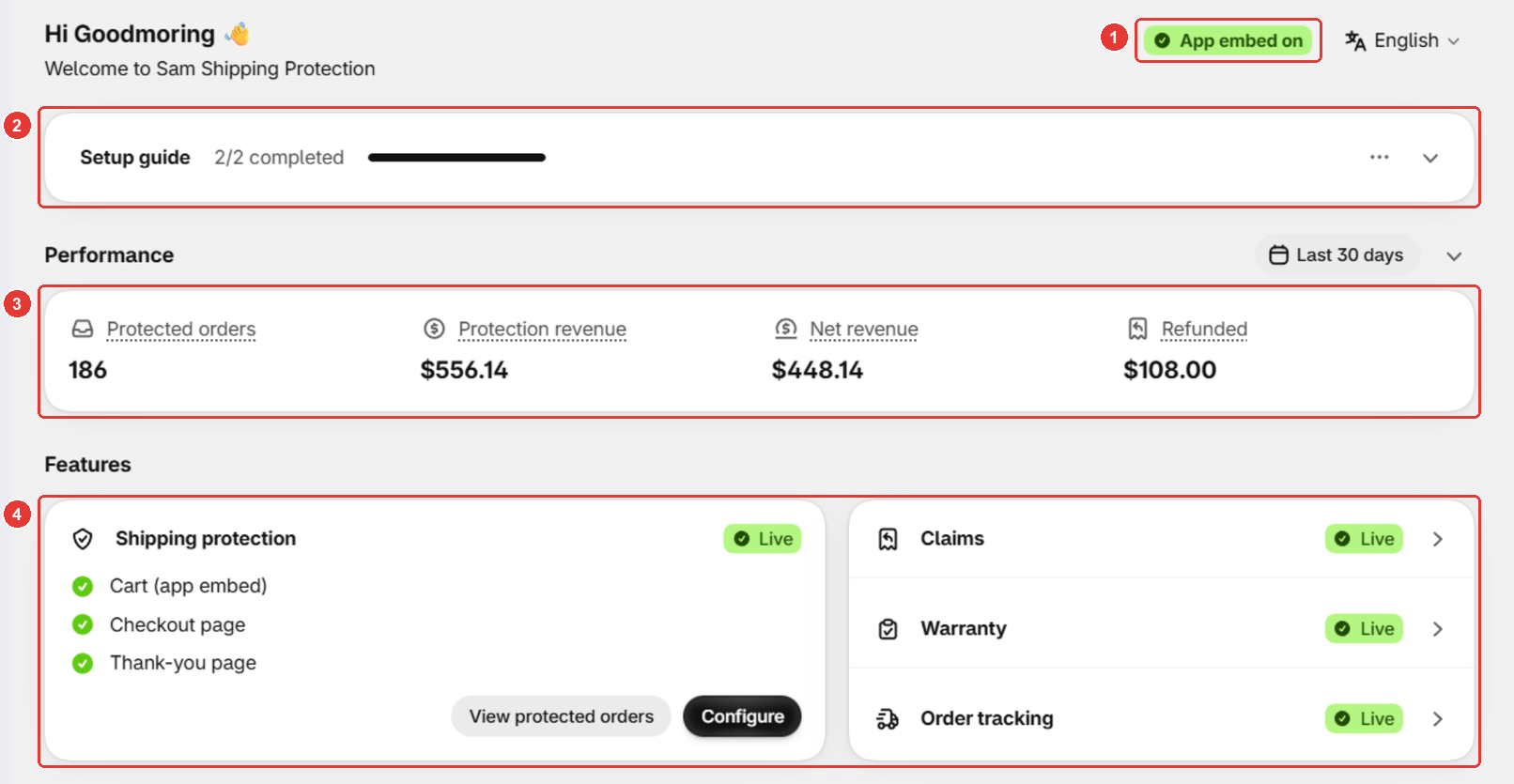
What else can you do?
- Change how the widget looks or hide it from some customers.
- Offer protection at checkout on Shopify Plus or on the thank-you page.
- Resolve a claim with a refund, store credit or a replacement order.
- Sell extended warranties and add an order tracking page.
- See protected orders and protection revenue.
Good to know
- Starter is free up to a monthly number of protected orders. Standard and Plus add more features. See Plans and the Starter order limit or compare prices.
- Something not working? Start with Can’t see the protection widget? or the FAQ.
Frequently asked questions
Is Sam an insurance company?
No. Sam is a Shopify app that runs your store's own protection program. You set the fee, the fee goes to your store, and you decide each claim.
Where do the protection fees go?
To your store, like any other sale. Sam doesn't take a share; you pay only for your app plan.
Do I need to edit my theme code?
No. You switch the widget on in the theme editor and click Save.
Still need help?
Our developers answer support themselves. Chat with us or email [email protected].