

Claims
How does the claim flow work?
A customer files a claim on your claim portal with their order details and a photo. You open it on the Claims page, then refund, give store credit, send a free replacement or cancel it. You decide every claim, and Sam can email the customer at each step.
Here’s what happens to a claim, from the moment a customer files it to the moment you settle it. Each step links to the full how-to.
1. How does the customer file a claim?
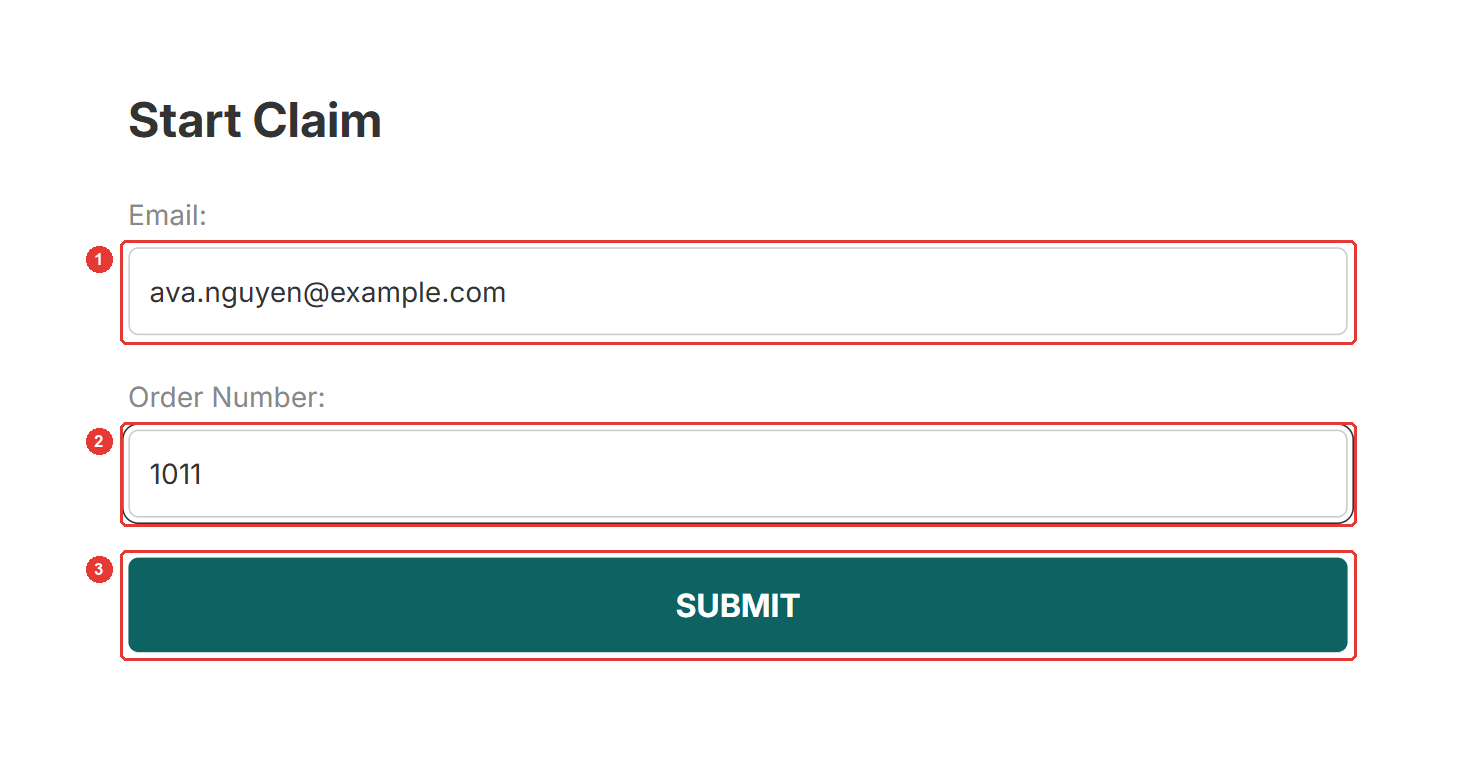
On your claim portal, the customer enters their email (1) and order number (2) and clicks Submit (3). They pick the order, say what went wrong, add at least one photo and click Submit Claim.
If the customer emails or chats with you instead, create the claim for them.
2. How do you find out about it?
The claim shows on the Claims page as Requested. If claim emails are on, you get New claim (admin) and the customer gets Claim received. Claim emails start off, so turn them on first.
3. How do you review it?
Click the claim to open it. It moves to In progress. Read the customer’s report and look at their photos.
4. How do you settle it?
Click Resolve claim and choose one:
- Refund to the customer’s original payment method.
- Store credit on the customer’s account.
- Reorder: a replacement order the customer isn’t charged for.
To close the claim without paying out, use More actions > Cancel claim. See Resolve a claim.
5. What does the customer get?
If the matching email is on, Sam emails the customer. For refunds and store credit, Shopify also sends its own notification.
Good to know
- You decide every claim and pay it from your store.
- The protection fee isn’t refunded with a claim.
- Customer can’t find their order on the portal? See Customer sees “The order is not protected”?
Frequently asked questions
Does Sam pay the claim?
No. Sam is not an insurance company. You keep the protection fees, decide each claim and pay out from your store.
Can a customer file a claim before the order ships?
Not on the portal, which only accepts fulfilled orders. For an unfulfilled order, create the claim yourself from the Claims page.
Can a customer file two claims for one order?
No. Each order takes one claim, and each claim is settled once.
Still need help?
Our developers answer support themselves. Chat with us or email [email protected].