

Shipping protection
Offer protection on the thank-you page
The thank-you offer lets customers add protection right after they pay. Turn on Enable widget in the Thank You Page card, grant the order editing permission, then add the Sam Checkout UI block to the Thank you page in Shopify's checkout editor. Works on every plan.
The thank-you offer lets customers who checked out without protection add it right after they pay. The customer clicks Add to order (3), then pays the extra amount with Pay now.
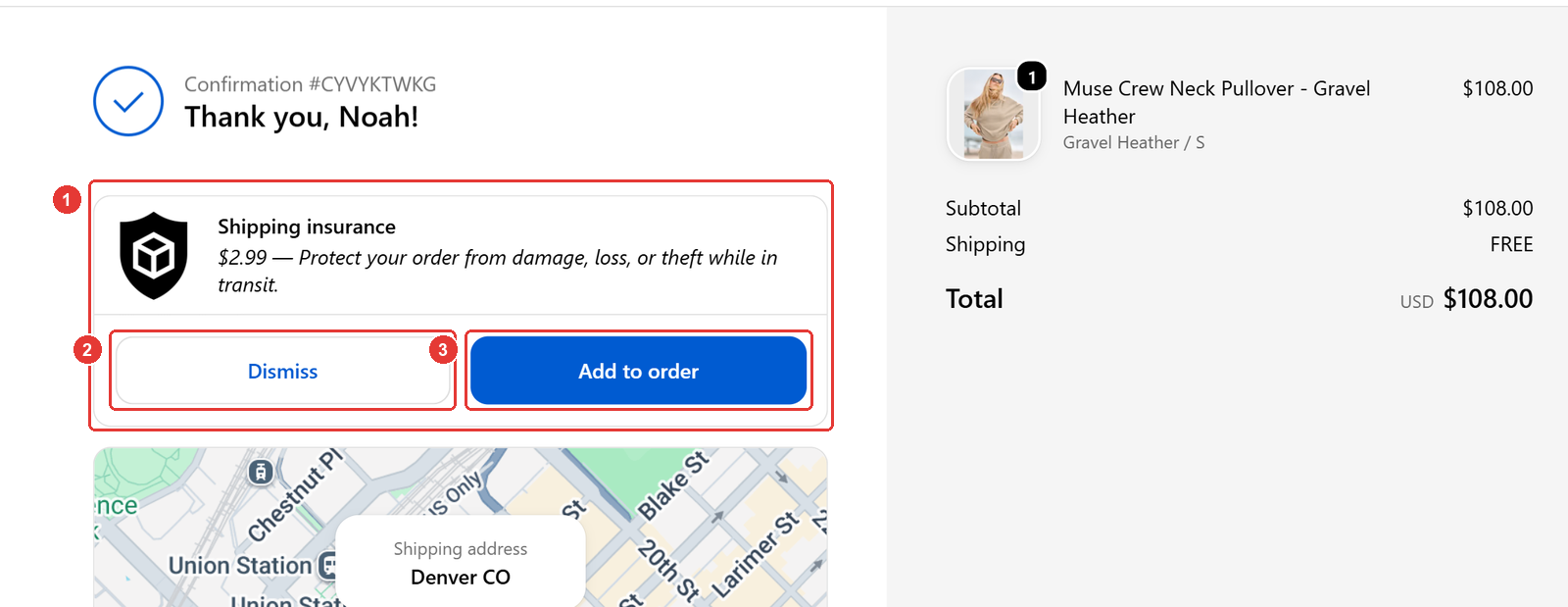
How do you turn on the offer?
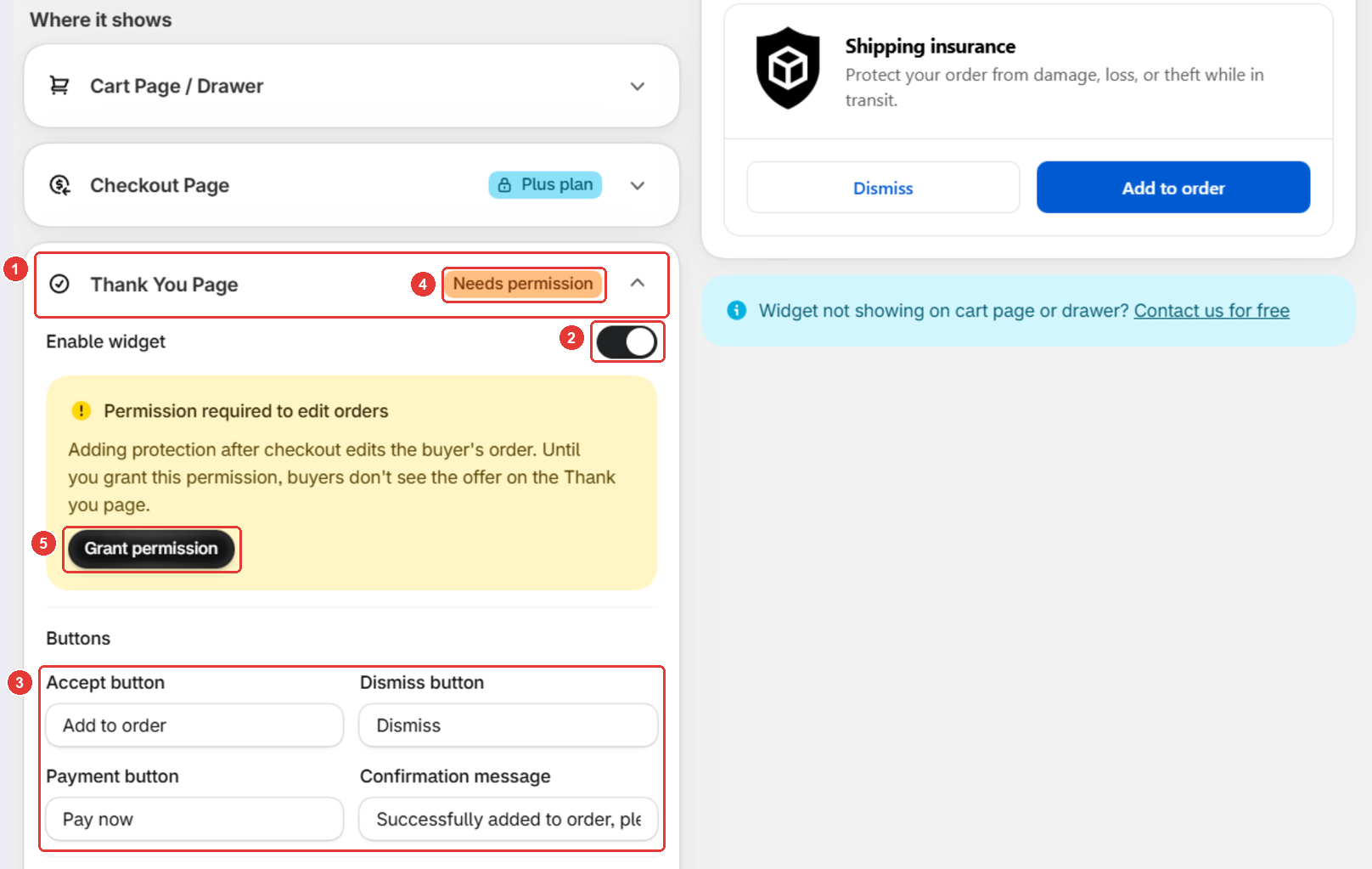
- In the app, open Protection and expand Thank You Page under Where it shows (1).
- Switch on Enable widget (2). The offer is off by default.
- Optional: change the Buttons text (3). Empty fields use the defaults.
- Click Save.
- If the card shows Needs permission (4), click Grant permission (5) and approve it in Shopify. Customers don’t see the offer until you do.
How do you add it to the thank-you page?
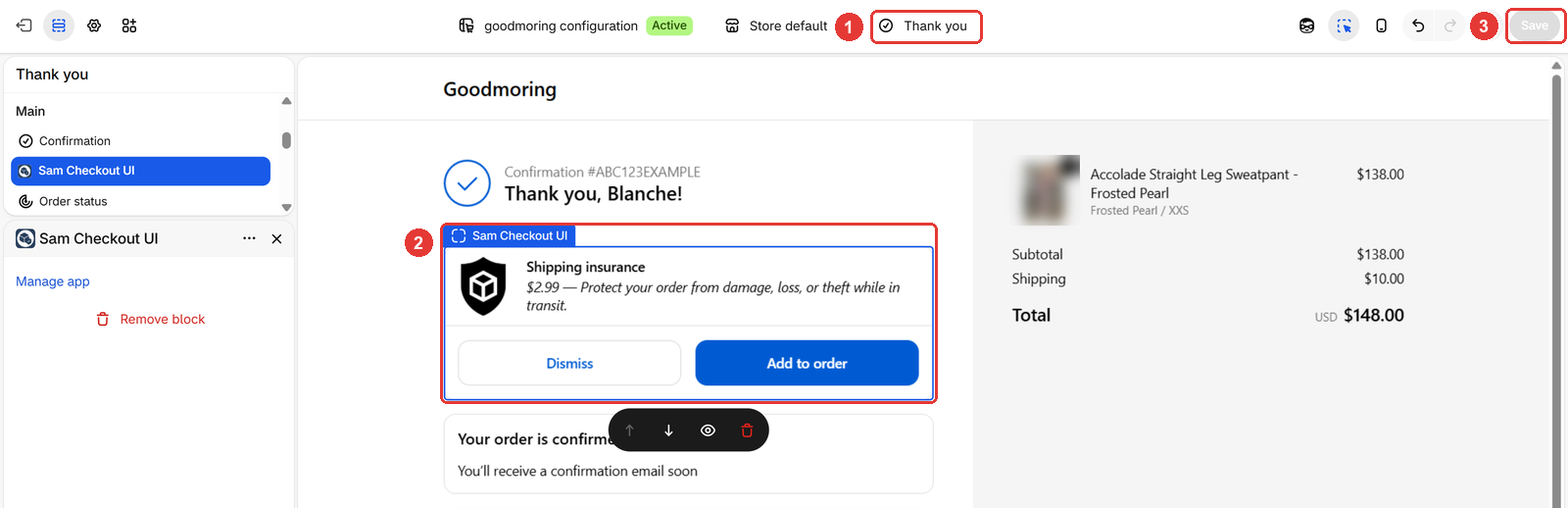
- In Shopify admin, go to Settings > Checkout and click Edit on your checkout configuration.
- Switch the page selector to Thank you (1).
- Add the Sam Checkout UI app block where you want the offer (2).
- Click Save (3).
Good to know
- Text and price come from your cart widget. Edit them in widget text and translations and pricing settings.
- Unpaid protection stays on the order. If the customer doesn’t click Pay now, the order shows an outstanding balance. Sam doesn’t charge or remind them, so you decide whether to follow up or edit the order.
- The offer shows once. If the customer reloads or leaves the Thank you page, it doesn’t come back. Hiding rules don’t apply here.
- Stops at the Starter limit. On Starter, the offer stops once you reach the monthly limit of protected orders. See Plans and the Starter order limit.
Frequently asked questions
Is the customer charged automatically when they add protection?
No. The customer pays the extra amount with Pay now on Shopify's payment page. Until they do, the order shows an outstanding balance.
Why don't customers see the thank-you offer?
Check that Enable widget is on, the permission is granted and the Sam Checkout UI block is on the Thank you page. The offer also hides when the order already has protection.
Do my hiding rules apply on the thank-you page?
No. Targeting & exclusions rules apply to the cart widget only. Every customer whose order has no protection sees the offer.
Still need help?
Our developers answer support themselves. Chat with us or email [email protected].