

Sam Bundles guide · Get started
Sam Bundles user guide
In short
Sam Bundles adds quantity breaks, buy X get Y deals, mix and match, a bundle builder and fixed bundles to your product pages. Discounts apply automatically at checkout, with no codes. Turn on the app embed, then create an offer from a template and publish it.
Sam Bundles raises your average order value with offers shoppers pick right on the product page. Discounts apply automatically in the cart and at checkout, so customers never need a code.
Offer types
| Offer | What shoppers get |
|---|---|
| Quantity breaks | A lower price per item when they buy 2, 3 or more of the same product |
| Quantity breaks with a free gift | The same, plus a free gift on bigger quantities |
| Buy X, get Y (BOGO) | Free or discounted items when they buy a set number |
| Mix & Match | A discount for picking one product from each group you set |
| Bundle Builder | A growing discount as they add more products to their own bundle |
| Fixed Bundle | A set of products sold together at a bundle price |
Set up in three steps
- Install the app and turn on the app embed.
- Create an offer from a template.
- Set it up: quantity breaks, buy X get Y, mix and match, bundle builder or fixed bundle.
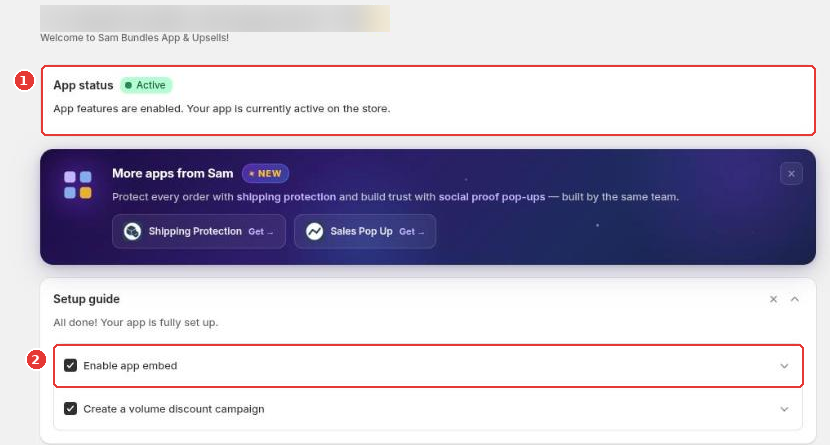
The app home shows whether the app is active (1) and the setup guide (2), followed by performance and your offers.
Still need help?
Our developers answer support themselves. Chat with us or email [email protected].