

Troubleshooting
Customer sees "The order is not protected"?
The claim portal shows "The order is not protected." when the order had no shipping protection or the email doesn't match the order. Find the order on Protected orders, compare the email, and create the claim yourself if needed.
This page helps when a customer sees “The order is not protected.” on your claim portal. It means the order had no protection, or the email or order number doesn’t match.
Did the order have shipping protection?
- Open Protected orders.
- Set the date range (1) to cover the order date. The list starts with the last 30 days.
- Search for the order (3).
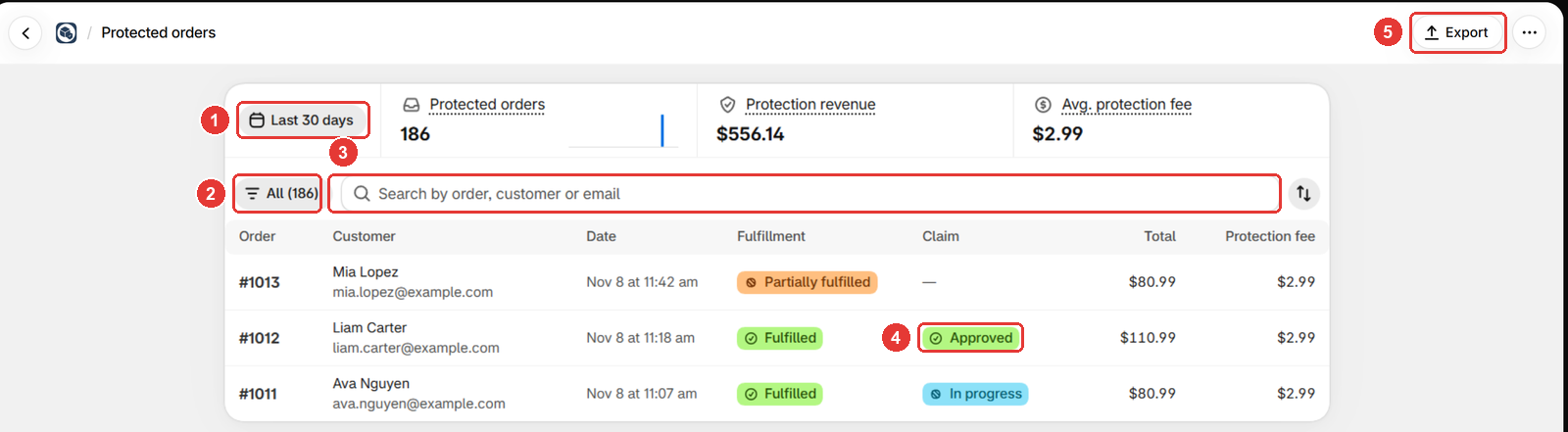
If the order isn’t there, the customer didn’t add protection, so it can’t take a claim.
Does the email match the order?
- Ask the customer to use the email from their order confirmation. A later email change in Shopify doesn’t count.
- If the order has no email, for example a checkout with only a phone number, create the claim for the customer instead.
Is the order number right?
Ask for the order number from the confirmation, for example 1001. #1001 works too.
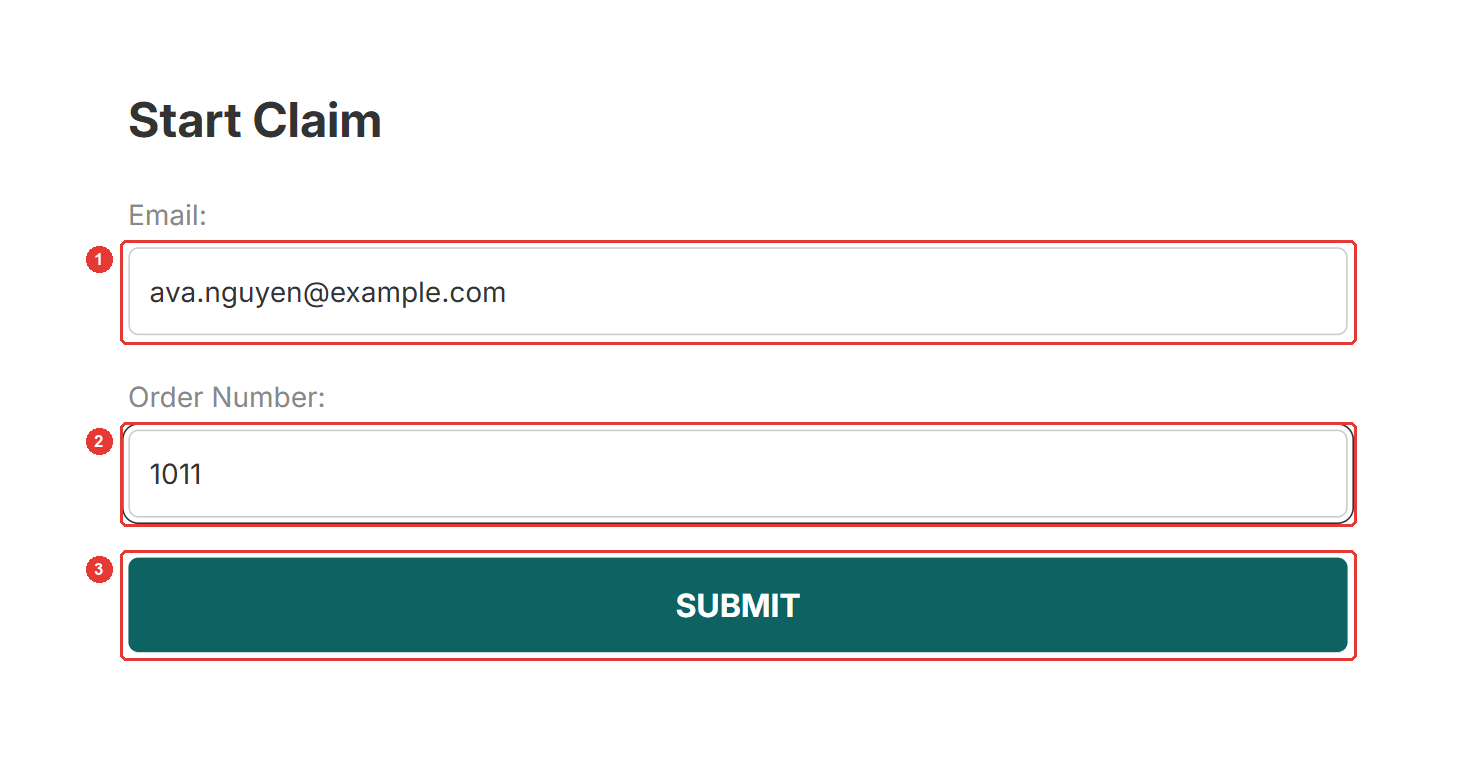
If the portal says “The order is not fulfilled yet.” instead, the customer can file once it ships, or you can create the claim now.
Still not working?
Is the order on Protected orders with a matching email, but the portal still shows the message? Contact us from the chat in the app or at [email protected]. In the meantime, create the claim yourself and resolve it as usual.
Frequently asked questions
Does the message mean the order has no protection?
Not always. The portal shows the same message when the email doesn't match the order. Check the order on the Protected orders page first.
The customer changed their email after ordering. What now?
Ask the customer to use the email from their order confirmation, or create the claim for them from the Claims page.
Can I change the message?
Yes. In Customize portal on the Claims page, edit it in the Messages group.
Still need help?
Our developers answer support themselves. Chat with us or email [email protected].