

Troubleshooting
Claim emails not sending?
Check that the email is Live in Settings > Notifications, that your plan includes claim emails, and that you ticked Email the customer on claims you created. Then use Send test to see which address it goes to, and check the spam folder for [email protected].
Find out why a claim email didn’t arrive. Run these checks in order.
Is the email turned on?
- Open Settings > Notifications and find the email’s Live or Off badge (3).
- If it reads Off, click Edit (4).
- Switch on Send this email and click Save.
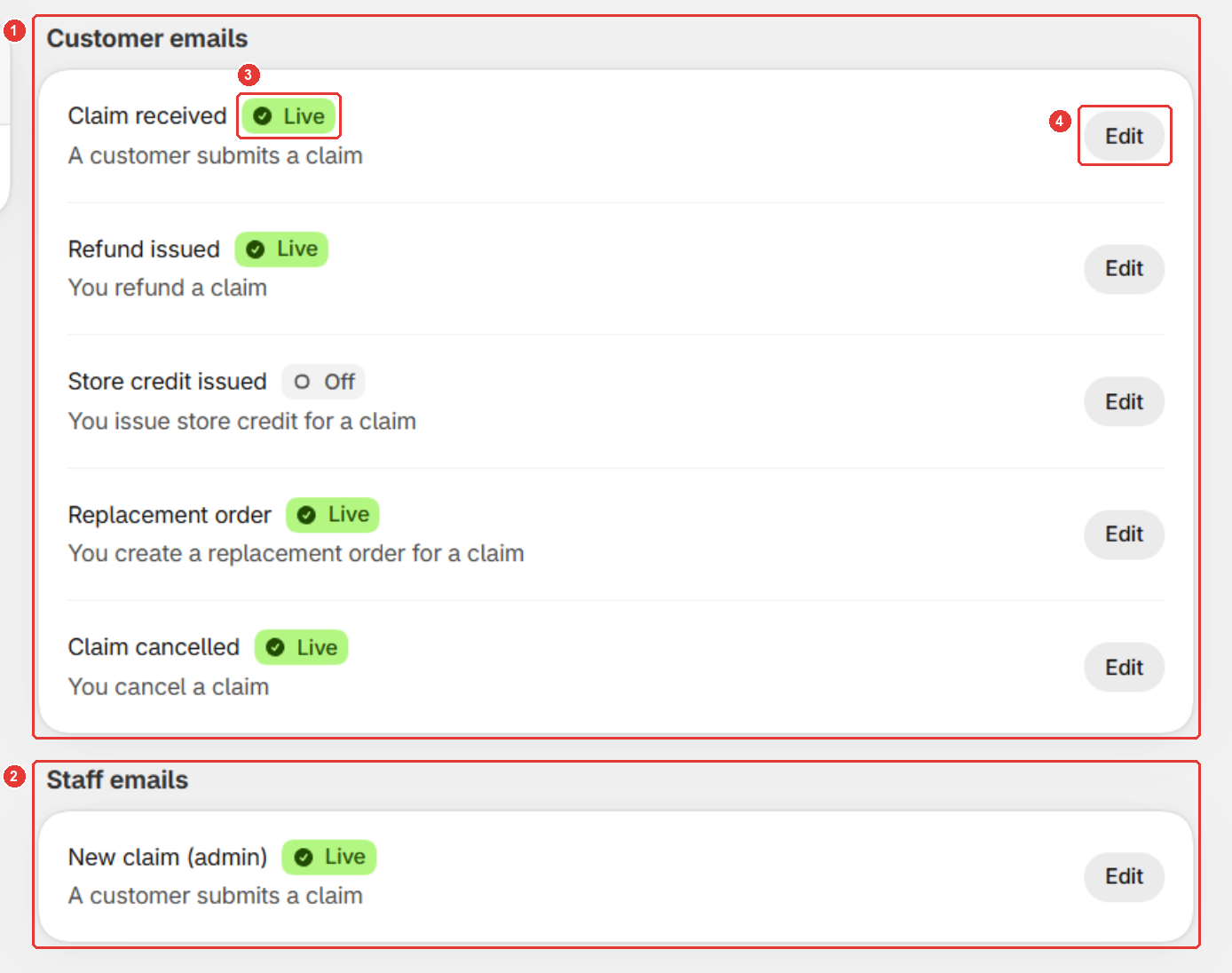
Each email has its own switch. See Turn on claim emails.
Does your plan include claim emails?
- Look for a lock badge next to the email. It shows the plan your store needs.
- If you see one, upgrade on the Plans page. Claim emails come with Standard and Plus, or Plus only on some older installs.
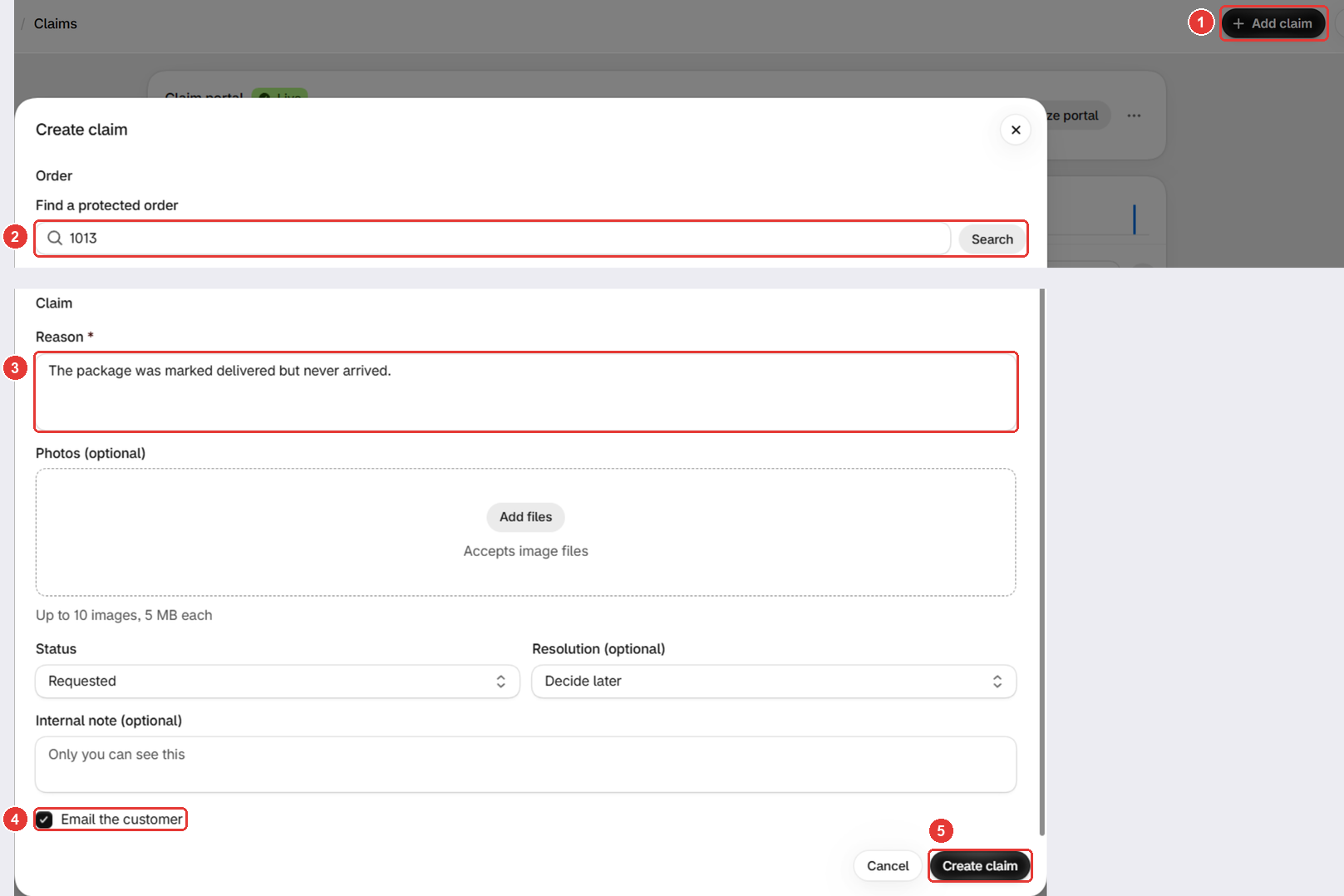
Did you tick Email the customer?
For claims you add yourself, tick Email the customer (4) before you click Create claim. See Create a claim for a customer.
Is the email going to the right address?
- Check the customer email on the order. Sam sends customer emails there.
- For New claim (admin), check your store’s email address in Shopify.
- Click Send test in the email editor. The message that appears shows which address it used.
Is it in the spam folder?
- Ask the customer to check their spam or junk folder for Sam Shipping Protection at
[email protected]. - Check yours for test emails. Their subject starts with
[Test].
Still not working?
Contact us from the chat in the app or at [email protected]. Tell us the order number and which email didn’t arrive. To see which email goes out at each step, read How does the claim flow work?
Frequently asked questions
My customer got Shopify's refund email but not Sam's. Why?
They're separate emails. Sam's Refund issued and Store credit issued emails only go out when you turn them on.
Which address do Sam's emails come from?
Sam Shipping Protection <[email protected]>. Ask customers to look for it in their spam or junk folder.
The test email arrives, but real ones don't. Why?
Send test works even while an email is off. Check that the email's badge reads Live, and for claims you created, that you ticked Email the customer.
Still need help?
Our developers answer support themselves. Chat with us or email [email protected].