

Sam Bundles guide · Settings
Translate the bundle widget
In short
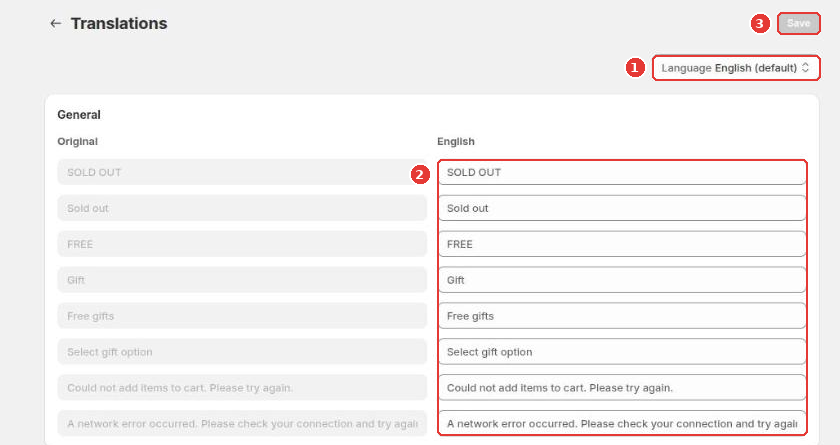
Open Translations in the app menu, pick a language and type the translation next to each original text, then click Save. Offer texts such as titles and bar labels are translated in each offer's own Translations button.
Open Translations in the app menu.
- Choose the Language (1).
- Type the translation (2) next to each original text, such as SOLD OUT, FREE, Free gifts and the error messages.
- Click Save (3).
Texts you write in an offer, such as the block title and bar titles, are translated inside the offer: click Translations at the top of the quantity breaks or buy X get Y editor. Shoppers see the version that matches their storefront language; texts you haven’t translated show in the original language.
Still need help?
Our developers answer support themselves. Chat with us or email [email protected].