

Sam Bundles guide · Offers
Set up a bundle builder
In short
A bundle builder lets customers pick their own products from a list you choose. The discount grows with the number of items, for example 10% off 2 items, 15% off 3 and 20% off 4. Select the products, optionally group them by collection, set the pricing tiers and save.
Start from Create new offer > Bundle Builder.
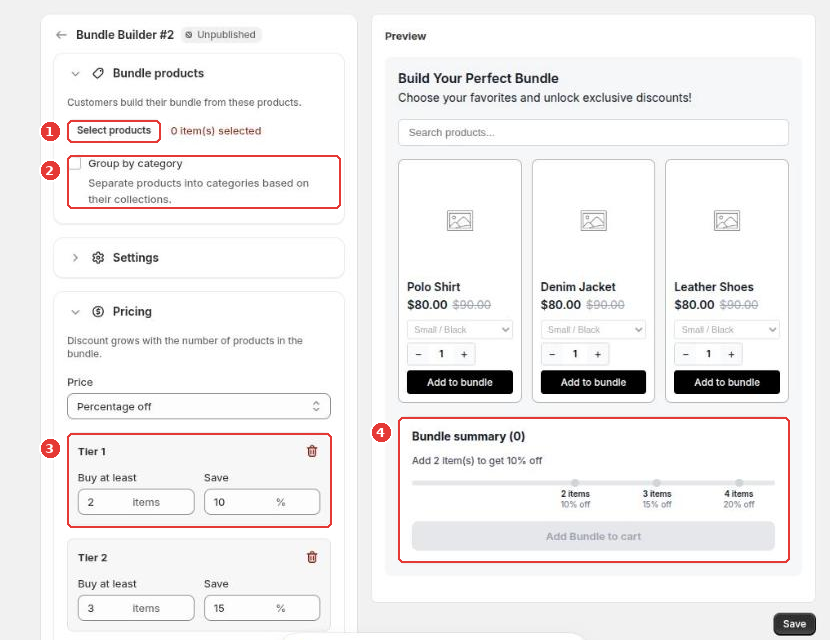
- Click Select products (1) to choose the products customers can add.
- Tick Group by category (2) to split them into groups based on their collections.
- Under Pricing, set the tiers (3): Buy at least a number of items to get a discount. Add as many tiers as you like.
- The preview shows the Bundle summary (4), with a progress bar toward the next discount.
Settings holds the widget title, description, messages and banner. Click Save to publish.
Still need help?
Our developers answer support themselves. Chat with us or email [email protected].