

Sam FOMO guide · Email & promotions
Collect emails with a discount popup
In short
In Popups, click Create popup. On Content & Design pick a template, add an image and logo, write the offer and set the discount code. On Triggers & Placement choose the position, the trigger (after a delay, on scroll or on exit intent) and devices. Save, then find new emails under Subscribers.
Email popups turn visitors into subscribers by offering a discount in exchange for an email address.
Step 1: Create the popup
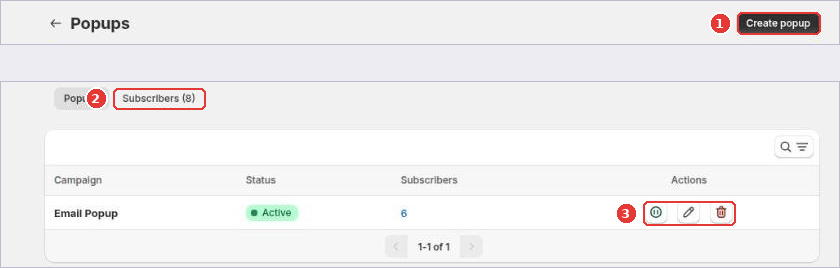
Open Popups in the app menu and click Create popup (1). The Subscribers tab (2) lists everyone who signed up. Use the action icons (3) to pause, edit or delete a popup.
Step 2: Content and design
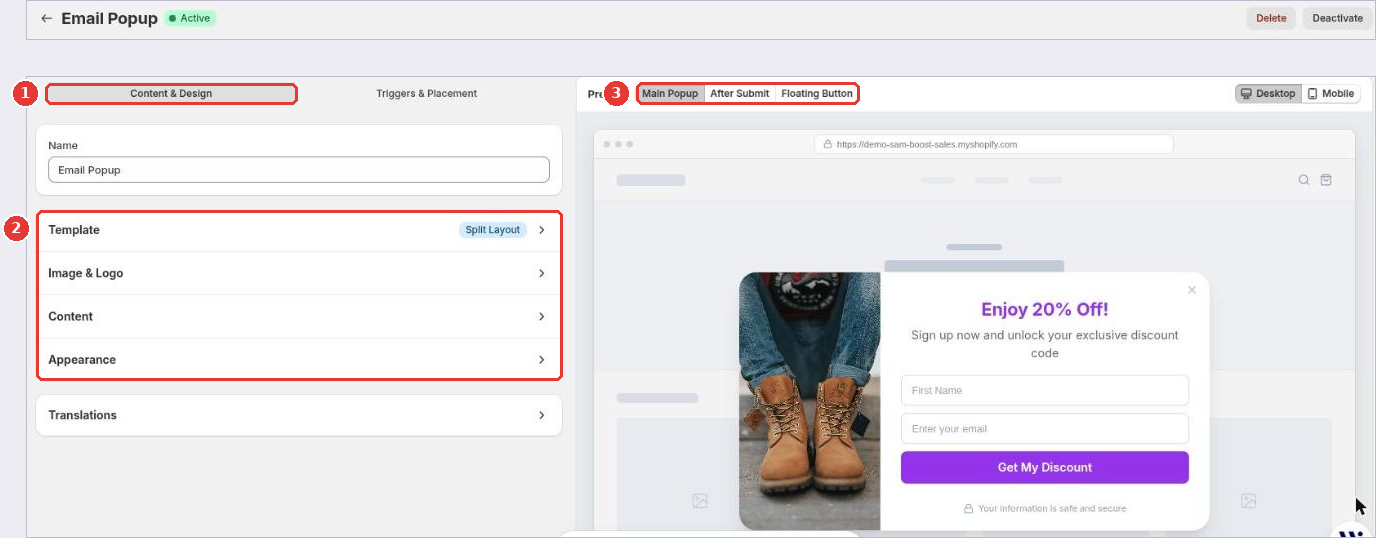
On the Content & Design tab (1), open each section (2):
- Template: the layout, for example a split layout with an image on one side.
- Image & Logo: your product photo and logo.
- Content: the headline, text, form fields, button and the discount code. You can use a Shopify discount code.
- Appearance: colors and style.
Switch the preview (3) between the Main Popup, the After Submit message and the Floating Button that reopens the popup.
Step 3: Triggers and placement
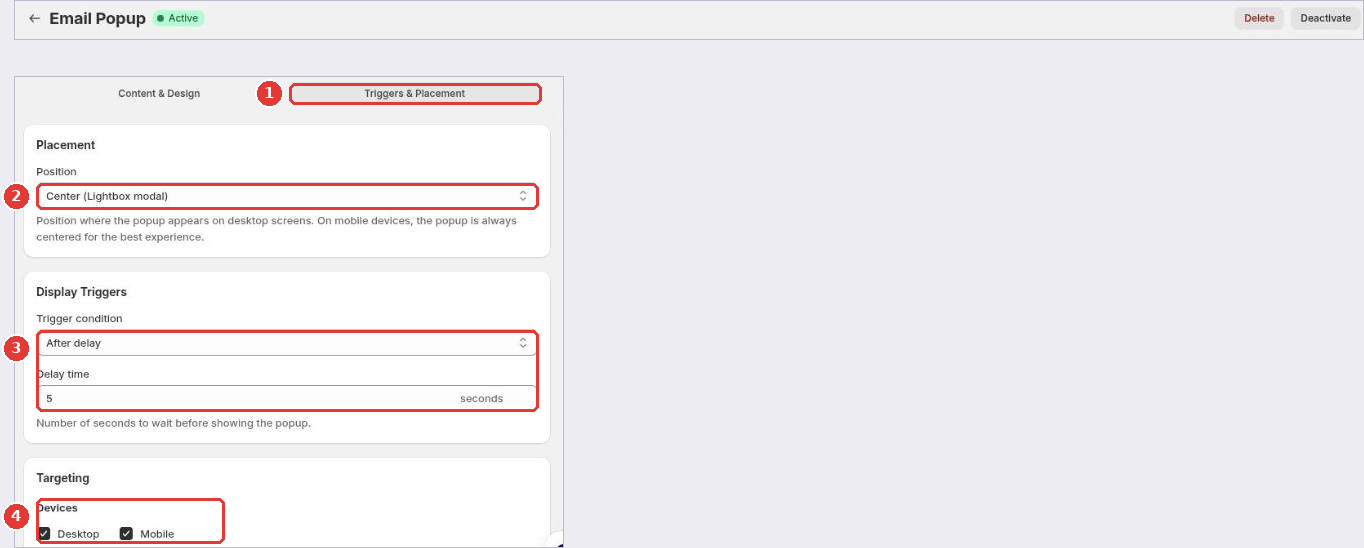
On the Triggers & Placement tab (1):
- Choose the Position (2). On phones the popup is always centered.
- Choose the Trigger condition (3): After delay, On scroll or On exit intent (desktop only), and its value.
- Under Targeting (4), choose the devices and pages.
Click Save in the bar at the top of the page.
Subscribers and Klaviyo
Open Popups > Subscribers to see sign-ups and click Export CSV to download them. To send new subscribers to Klaviyo automatically, connect Klaviyo in the popup settings and choose a Klaviyo list.
Frequently asked questions
Where do the emails go?
Every sign-up is saved under Popups > Subscribers, where you can export them as a CSV file. You can also send subscribers straight to a Klaviyo list.
Still need help?
Our developers answer support themselves. Chat with us or email [email protected].